 Nigeria
 United Arab Emirates

How To Apply Shipping Method To Bulk Product On Hoodmat.com
|
How To Apply Shipping Method To Bulk Product On Hoodmat.com
Login into an existing seller account through hoodmat menu bar by tapping icon
 Keep in mind that when logging into an existing account, you must use the username and password for the account. Also keep in mind that Assign tools only work if the option is preconfigured e.g You have to configure Shipping Method or Discount or Option etc first before you can make use of Assign Shipping Method or Assign Discount, Or Assign Option etc. Keep in mind that when logging into an existing account, you must use the username and password for the account. Also keep in mind that Assign tools only work if the option is preconfigured e.g You have to configure Shipping Method or Discount or Option etc first before you can make use of Assign Shipping Method or Assign Discount, Or Assign Option etc.1. Click on My Store
2. Navigate to Manage Products
3. Select products you want the changes to reflect by checking the box
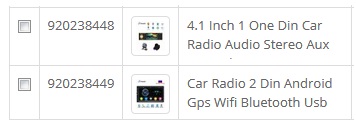 4. Navigate to any of your interested option you want to assign
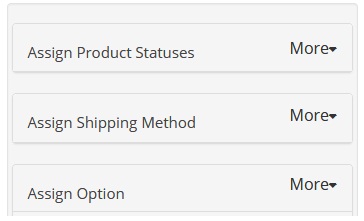 5. Make sure that such option (e.g Products Status, Special, Shipping Method etc) have
being preconfigured 6. Click more button
7. Select your option and click apply button
 Click here to watch video Tutorial
Is This Guide Heplful:Yes Or No
|
