 Nigeria
 United Arab Emirates

How To Configure Enable and Assign Product Option On Hoodmat.com'
|
How To Configure Enable and Assign Product Option
1. Login into an existing seller account through hoodmat menu bar by tapping icon
 Keep in mind that when logging into an existing account, you must use the username and password for the account. Keep in mind that when logging into an existing account, you must use the username and password for the account.2. Click on My store tab and click on manage option from the drop-down.
3. If you have no options already created, then use INSERT
 to add a new option. to add a new option.4. When you add a new option you will see the following screen:
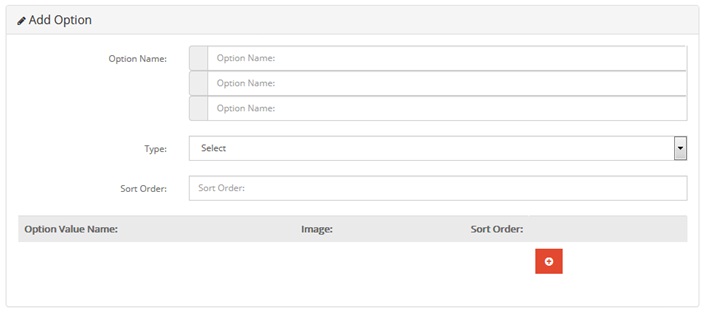 5. Fill in the OPTION name in different languages if you want your product to support Multi-language.
6. Click on the drop down arrow to select the TYPE.
7. Select the type that best represent your product option on hoodmat.
8. Fill Option Value Name in different languages as you wish, if not you can use the same language all through.
9. Enter SORT ORDER e.g 1 or 2 or 3 etc , to help you organize the order in which you want to present the options when screen opens up.
10. Click save button to continue.
Click here to watch video Tutorial
|
